


Introduction, Complete Guide to Oracle OPERA (PMS) – Hospitality Professionals
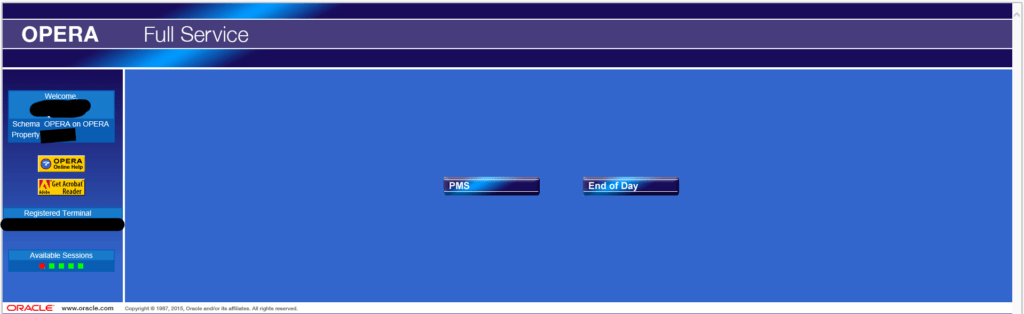
The Complete Guide to Oracle OPERA (PMS) – Hospitality Professionals is one of the most widely used hotel management software solutions in the global hospitality industry. Developed by Oracle Corporation, OPERA PMS helps hotels manage operations such as reservations, guest profiles, housekeeping, billing, and reporting.
Hotels rely on OPERA to streamline daily operations and improve guest experiences. The system connects multiple departments within a hotel, allowing staff to work from a centralized platform.
This guide explores the complete OPERA PMS knowledgebase, including system configuration, reservations management, rate management, housekeeping, cashiering, reporting, and integrations.
OPERA PMS Login and Access
Before accessing the OPERA system, users must authenticate through the login interface.
Single Sign-On Screen
The Single Sign-On (SSO) feature allows hotel employees to log in once and gain access to multiple OPERA modules without repeated authentication. This improves both security and efficiency.
Login Screen
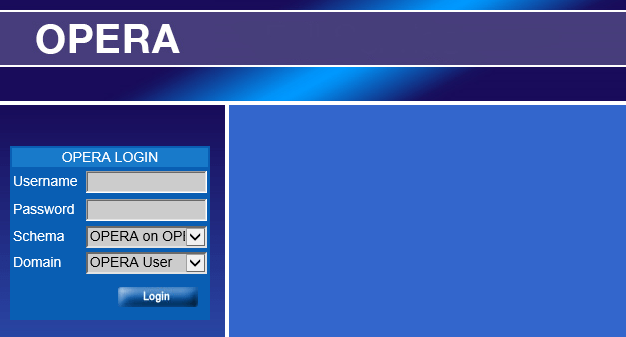
The login screen requires the following credentials:
- Username
- Password
- Property code (for multi-property environments)
After authentication, users can access the OPERA dashboard and available modules depending on their permission level.
LDAP Integration
OPERA PMS can integrate with LDAP (Lightweight Directory Access Protocol) for centralized authentication. This allows organizations to manage employee access across multiple systems.
Getting Started With OPERA PMS
New users must become familiar with several core features before using OPERA effectively.
Multiple Selection Screen
The multiple selection screen allows users to select multiple records simultaneously. This feature is useful when working with reservations, guest profiles, or reports.
Generic Template System Configuration
The template configuration system allows hotels to standardize forms, documents, and automated messages.
Examples include:
- Reservation confirmation letters
- Guest invoices
- Internal reports
Viewing Masked Fields
Certain sensitive information such as credit card numbers or guest personal data is masked for security reasons. Authorized users can view this information depending on permission settings.
Reservations Configuration in OPERA PMS
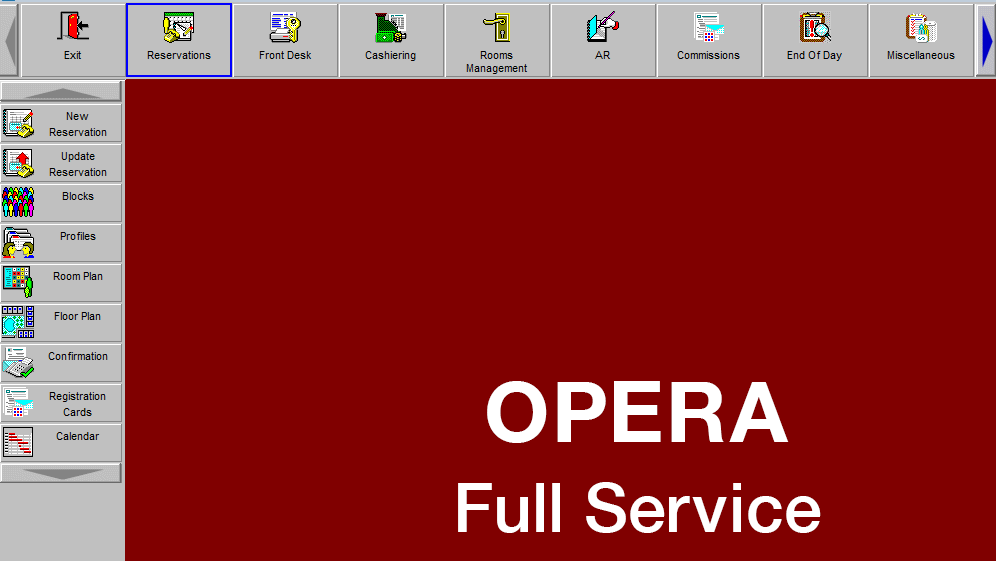
Reservations are the core function of any hotel property management system. OPERA provides powerful configuration tools to manage reservations efficiently.
Reservation Codes
Reservation codes define booking categories used by hotels. These codes help track booking sources and manage room inventory.
Examples include:
- Corporate bookings
- Travel agent bookings
- Online bookings
Reservation Types
Reservation types define the nature of the booking such as:
- Individual reservations
- Group reservations
- Block reservations
Reservation Auto Attach
This feature automatically attaches services or packages to reservations. For example:
- Breakfast packages
- Spa access
- Airport transfer
Deposit and Cancellation Rules
Hotels configure deposit and cancellation policies within OPERA PMS to protect revenue and manage guest expectations.
Deposit Rules
Deposit rules determine how much payment is required before arrival.
Examples:
- One-night deposit
- Full prepayment
- Percentage-based deposit
Cancellation Rules
Cancellation rules define penalties for canceling a reservation.
Examples include:
- Free cancellation before 24 hours
- Partial penalty
- Full stay charge
Waitlist and Alerts Configuration
Waitlist Management
When a hotel is fully booked, guests can be placed on a waitlist. OPERA automatically tracks waitlist priorities and availability.
Alert Messages
Alert messages help staff identify important guest information.
Examples include:
- VIP guests
- Guest allergies
- Special service requests
Alerts appear automatically during check-in or reservation lookup.
Guest Profiles Management
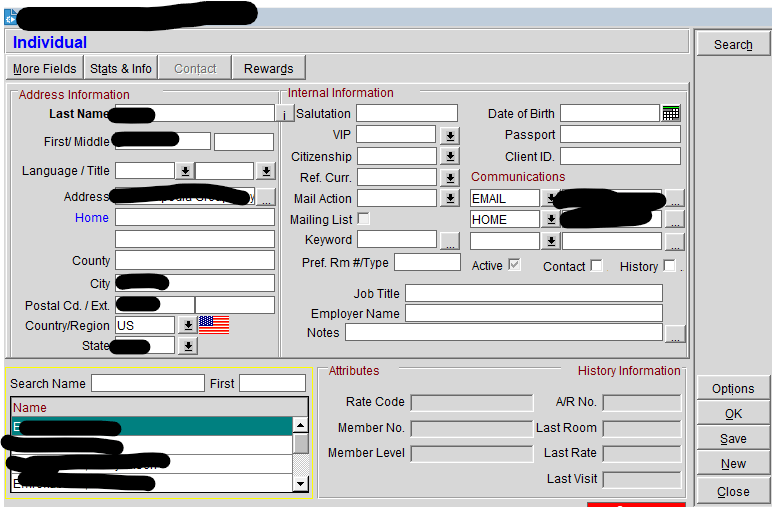
Guest profiles are essential for delivering personalized guest experiences.
Profile Configuration
OPERA stores detailed guest information including:
- Personal details
- Contact information
- Stay history
- Preferences
Guest Types
Hotels categorize guests into types such as:
- VIP guests
- Corporate guests
- Travel agent guests
VIP Levels
VIP levels allow hotels to prioritize services for important guests.
Examples:
- VIP Level 1
- VIP Level 2
- Celebrity guests
Room Management Configuration
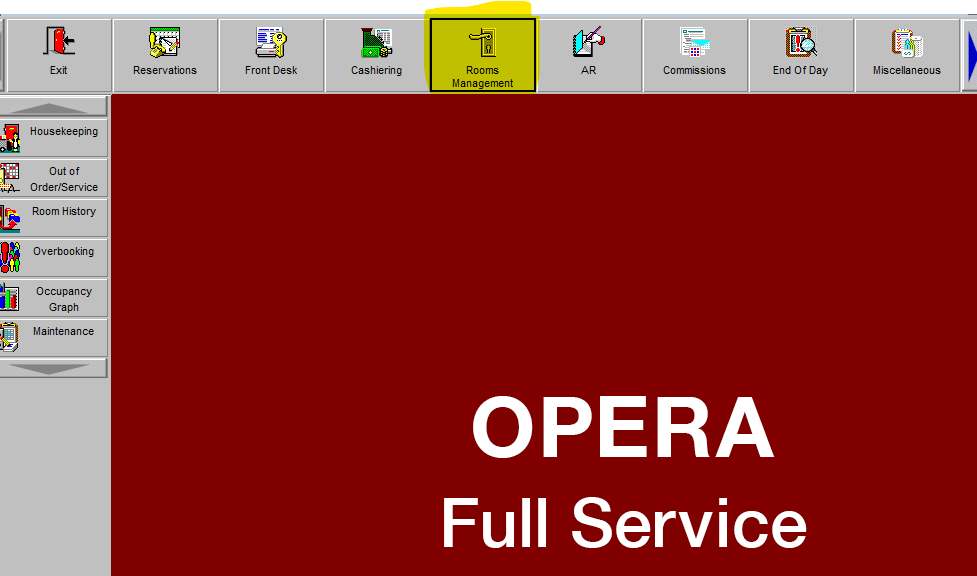
Room management ensures accurate tracking of room availability and maintenance.
Room Classes
Room classes group rooms with similar features.
Examples:
- Standard rooms
- Deluxe rooms
- Suites
Room Types
Room types define physical characteristics such as:
- King room
- Twin room
- Suite
Room Inventory Limits
OPERA controls room inventory to prevent overbooking.
Business Blocks and Group Reservations
Group reservations are managed through Business Blocks.
Booking Types
Booking types define group reservation categories such as:
- Conferences
- Weddings
- Corporate meetings
Block Status Codes
Block status codes indicate the stage of a group reservation.
Examples:
- Tentative
- Confirmed
- Cancelled
Business Block Ranking
Hotels prioritize group bookings based on potential revenue and occupancy impact.
Catering and Event Management
Hotels hosting events use OPERA’s Sales & Catering module.
Function Spaces
Function spaces include event venues within the hotel.
Examples:
- Ballrooms
- Conference rooms
- Meeting rooms
Setup Styles
Function spaces can be configured with different setups such as:
- Theatre style
- Classroom style
- Banquet style
Rate Management in OPERA PMS
Rate management is essential for maximizing hotel revenue.
Rate Codes
Rate codes define pricing structures for rooms.
Examples include:
- Corporate rate
- Seasonal rate
- Promotional rate
Best Available Rate (BAR)
BAR is the most flexible rate offered by hotels and changes depending on demand.
Dynamic Pricing
Dynamic rates adjust automatically based on factors such as:
- Demand
- Occupancy levels
- Seasonal trends
Yield Management
OPERA PMS includes yield management tools that help hotels optimize revenue.
Rate Buckets
Rate buckets categorize pricing levels for different demand scenarios.
Hurdle Rates
Hurdle rates determine the minimum acceptable price for a room.
Cashiering and Billing
Cashiering is responsible for financial transactions within the hotel.
Key cashiering functions include:
- Posting room charges
- Processing payments
- Handling refunds
- Managing guest folios
Payment methods supported include:
- Credit cards
- Cash
- Corporate billing
Housekeeping and Room Status Management
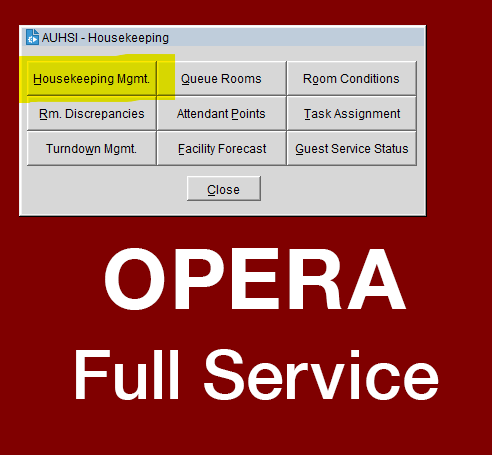
Housekeeping staff use OPERA to track room cleaning status.
Room statuses include:
- Vacant clean
- Vacant dirty
- Occupied
- Out of order
This allows the front desk to assign rooms efficiently.
OPERA Reports and Business Intelligence
Hotels rely on reports for operational and strategic decisions.
OPERA provides reports such as:
- Occupancy reports
- Revenue reports
- Forecast reports
- Financial summaries
Advanced analytics are available through OPERA Business Intelligence.
OPERA Integrations and Modules
OPERA integrates with several hospitality systems.
Channel Management
Through OPERA Channel Management, hotels can connect with online travel agencies.
Revenue Management
Revenue optimization is supported by OPERA Revenue Management System.
OPERA Xchange Interface
The OXI interface enables communication between OPERA and external systems such as:
- Payment gateways
- Booking engines
- CRM platforms
Security and User Permissions
OPERA includes strong security controls.
User Permission Groups
Administrators create permission groups to control access to system features.
Examples include:
- Front desk staff
- Housekeeping staff
- Finance team
This ensures sensitive data remains protected.
OPERA PMS Tips and Best Practices
Hotels can maximize OPERA efficiency by following best practices:
- Keep guest profiles updated
- Regularly review rate strategies
- Monitor reports daily
- Maintain accurate room status updates
- Train staff on system updates
Conclusion
The OPERA Property Management System (PMS) is a comprehensive platform designed to manage all aspects of hotel operations. From reservations and guest profiles to housekeeping, revenue management, and reporting, OPERA provides a complete solution for modern hospitality businesses.
By understanding the OPERA PMS knowledgebase and its modules, hotels can improve operational efficiency, enhance guest experiences, and increase profitability.
As the hospitality industry continues to evolve, OPERA remains one of the most trusted and powerful property management systems used by hotels worldwide.
Visit Gulf Hospitality Jobs for more interesting and informative blogs